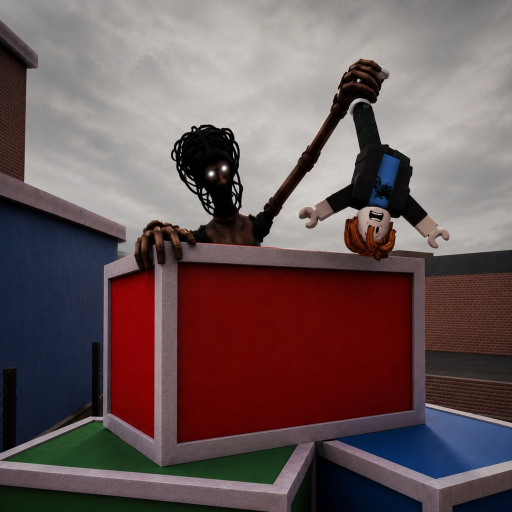
Complete game mapUnverified
Not developer-published
Use the current HUD and Roblox help panel.
MM2 of The Locust does not publish a complete permanent control map. Use Roblox base input and the HUD from the last accessible build for sprint, interaction, equipment, attack, and special actions. PC reports do not establish mobile or console bindings. The canonical listing was unavailable Sep 12, so no post-Sep 4 control map was rechecked.
Each row separates a current answer from the evidence that supports it.
Use the current HUD and Roblox help panel.
Game-specific bindings must be checked in the current client.
Do not assume a PC key has a matching touch button.
Roblox notes that controls and mechanics vary by experience.
Use Roblox movement and camera input, then inspect the bottom and side HUD for the current interaction, sprint, item, attack, and special-action prompts. Open in-experience Help for client shortcuts.
Wait for the role transition before judging the HUD. Check whether attack or ability buttons overlap chat, inventory, device safe areas, or a closed action panel.
Follow the controller glyphs rendered in the current experience. Roblox states that each experience can have different rules, controls, and mechanics.
Survivor and Locust interfaces may expose different actions. Wait until the role message and HUD are fully visible.
An item must appear selected or ready before its use control can be diagnosed.
Check cooldown, target, range, and round state before treating a failed press as a missing binding.
A screenshot with platform, role, visible buttons, and date is more useful than reporting that controls are broken.
Check the full MM2 of The Locust Controls state before rejoining, repurchasing, or turning one server into a permanent rule.
| Problem | Check | Next action |
|---|---|---|
| Mobile attack button is missing | Role assignment, round transition, device orientation, chat/menu overlays, and whether other role buttons loaded | Close overlays, rotate only if supported, wait once, then capture the HUD before rejoining a fresh server. |
| A keyboard shortcut does nothing | Chat focus, Roblox UI navigation mode, cooldown, selected role/item, and the visible prompt | Exit text/menu focus and use the current on-screen label instead of an older guide's key. |
| Console prompt shows the wrong glyph | Active input device and whether keyboard/controller input changed mid-session | Use one input device, reopen the current action, and rejoin only if glyphs remain inconsistent. |
Base movement and camera come from Roblox, while the exact-game sprint, interaction, item, attack, and special bindings must be read from the current HUD or in-experience help.
First confirm the Locust role and completed round transition, then close chat or menu overlays and capture the visible HUD. In the last accessible build this could be an interface issue rather than a hidden gesture; no restored September build was available for recheck.
No assumption should be made. Follow controller glyphs shown by the current client because Roblox experiences can define different actions by platform.
Sources for MM2 of The Locust Controls are labelled by what each record can actually prove.
Used for this guide: The canonical exact-Place link currently redirects to Title Unavailable. The accessible August listing remains historical identity and premise evidence, not proof of a playable September build.
Used for this guide: Useful for dated interface and gameplay observations; it does not turn an observed control, route, or value into an official permanent rule.
Used for this guide: Explains where the client exposes shortcuts, mouse instructions, and mobile gestures.
Roblox platform help plus dated exact-game community coverage.
Canonical listing unavailable Sep 6; no post-Sep 4 HUD was available for recheck.